Operations Cadence Calendar
Connected operations / In production
One shared calendar.A clearer working week.
A shared schedule brings meetings and recurring deadlines into view, with category filters for role-relevant events.
- Employees using the calendar
- ~300
- Shared across the company
- One calendar
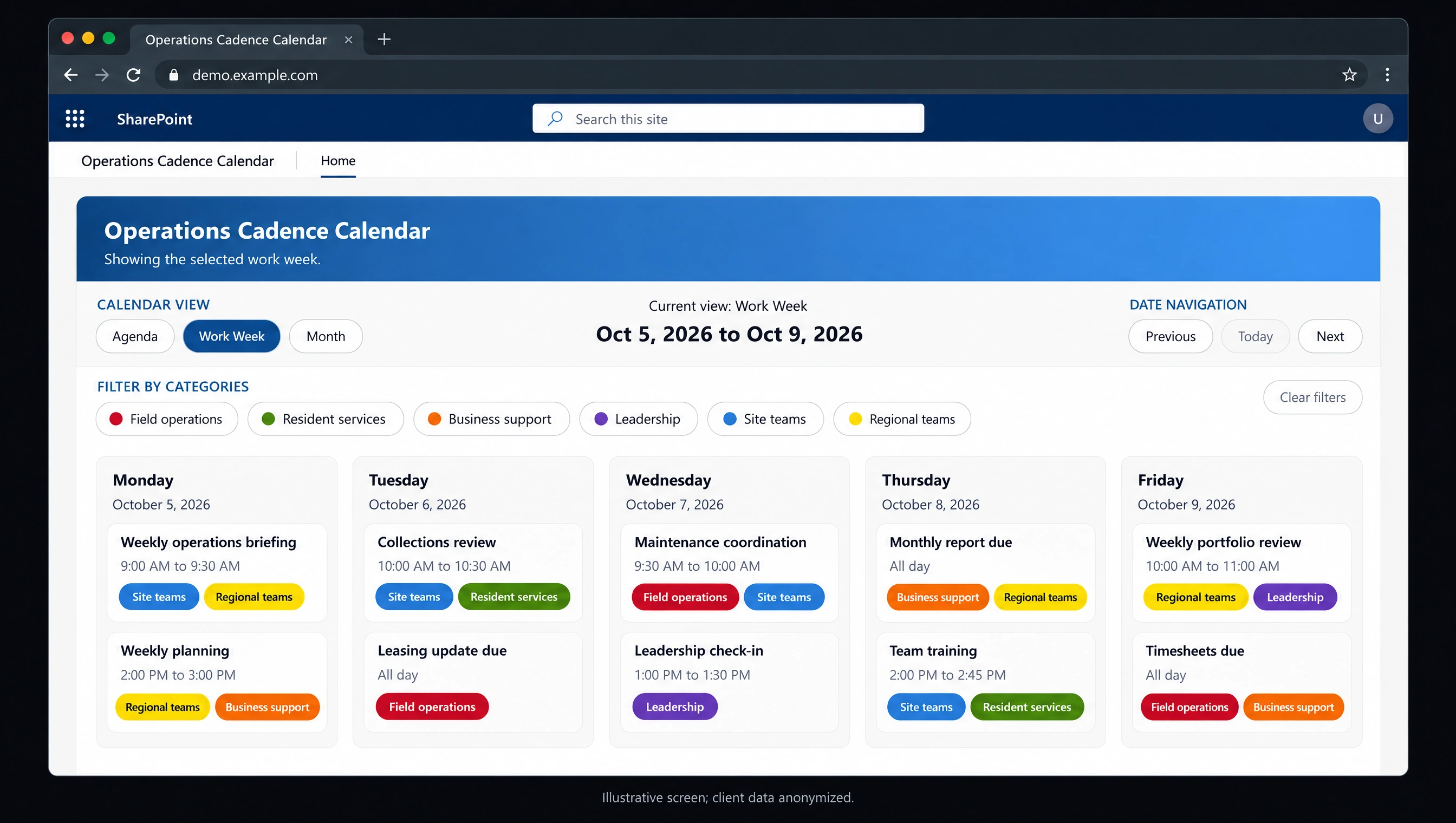
Meetings and recurring deadlines share one calendar, with categories that make the view relevant to each role.
01 — The challenge
What needed to change.
Meetings and recurring deadlines lived on disparate calendars that were difficult to find. Employees lacked a straightforward shared view of the events and reporting responsibilities relevant to their roles.
02 — The solution
A system built for the work.
1Guy.ai built a custom SharePoint calendar connected to a Microsoft shared calendar. Administrators maintain events in the familiar Outlook interface; employees see a consistent, read-only calendar in SharePoint.
Synchronized categories and colors let employees filter for role-relevant events. Agenda, work-week, and month views support planning, while meeting details provide Teams links and the ability to add an event to a personal calendar.
- Outlook calendar administration
- Read-only SharePoint visibility
- Category filtering
- Agenda, work-week, and month views
- Meeting links and personal calendar copies
03 — In production
One place to find meetings and deadlines.
Approximately 300 employees now have a known place to find company meetings and recurring report or task deadlines. The shared calendar makes daily and weekly planning easier without requiring employees to locate several separate schedules.
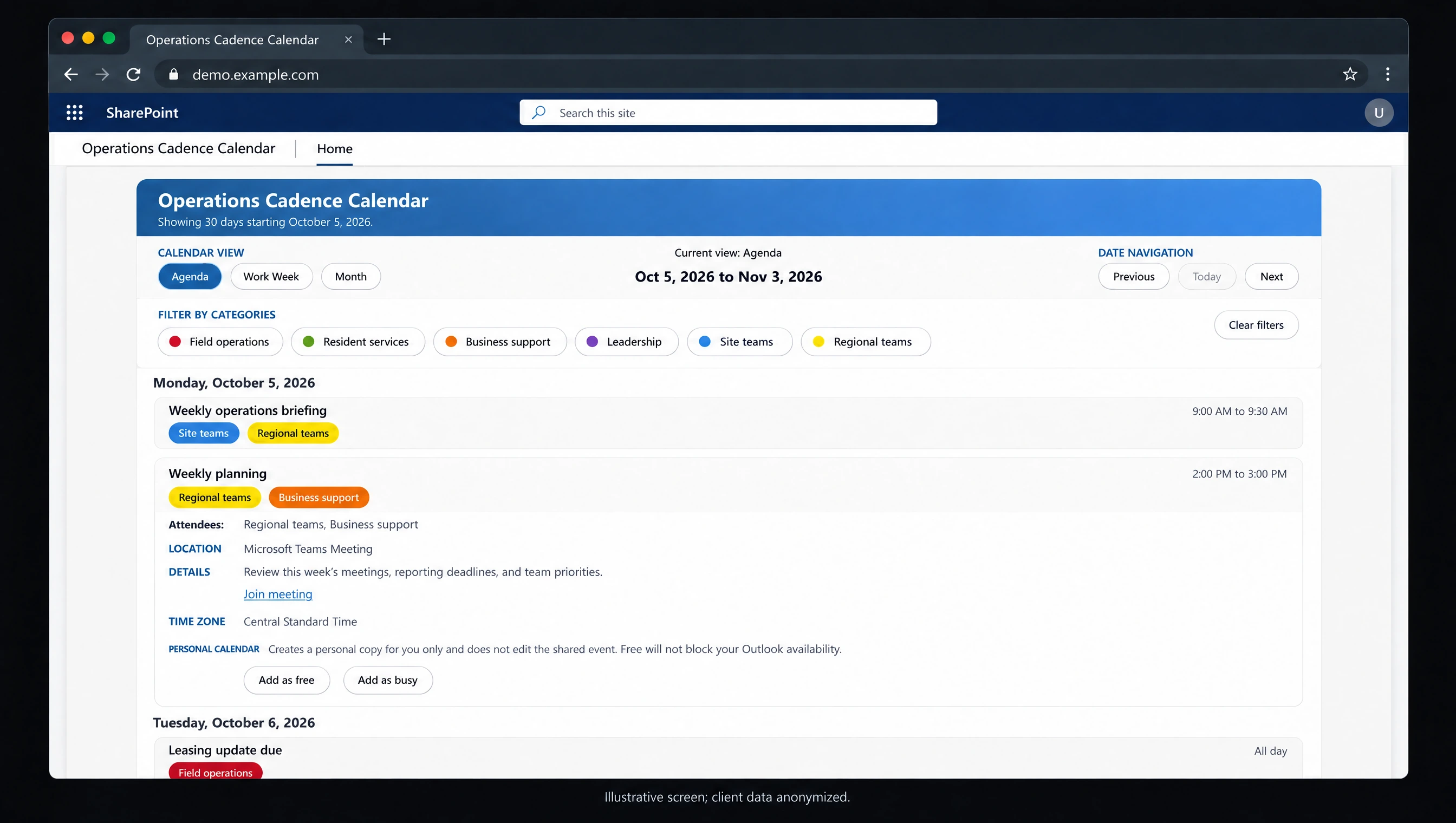
Employees can inspect meeting details and add a personal copy without changing the shared event.
Inside the system / Calendar presentation
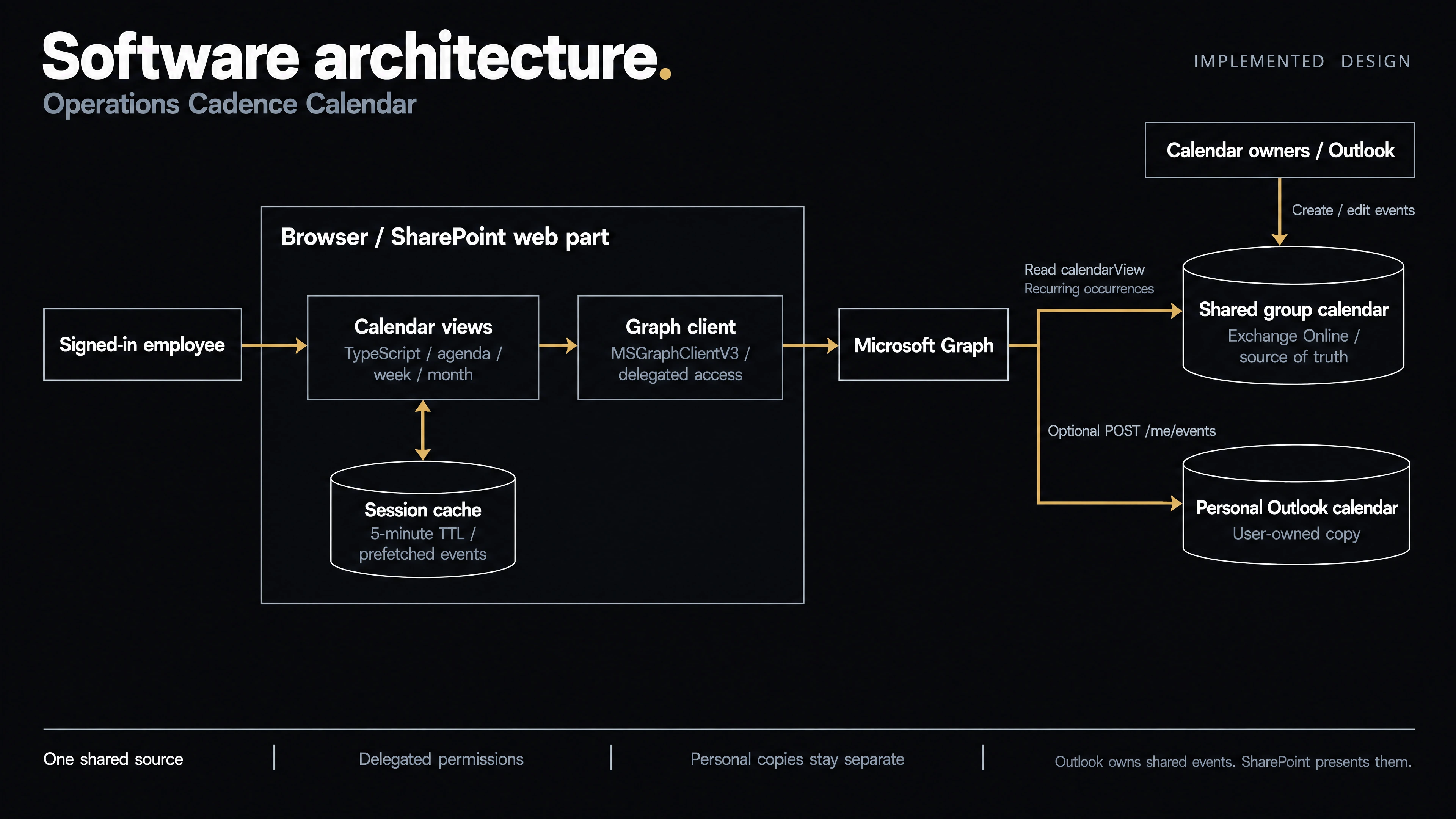
Software architecture.
A browser-based SharePoint web part reads the shared calendar through Microsoft Graph. Outlook remains the editing surface, while personal-calendar copies are a separate user action.
Inside the system / Microsoft 365 deployment
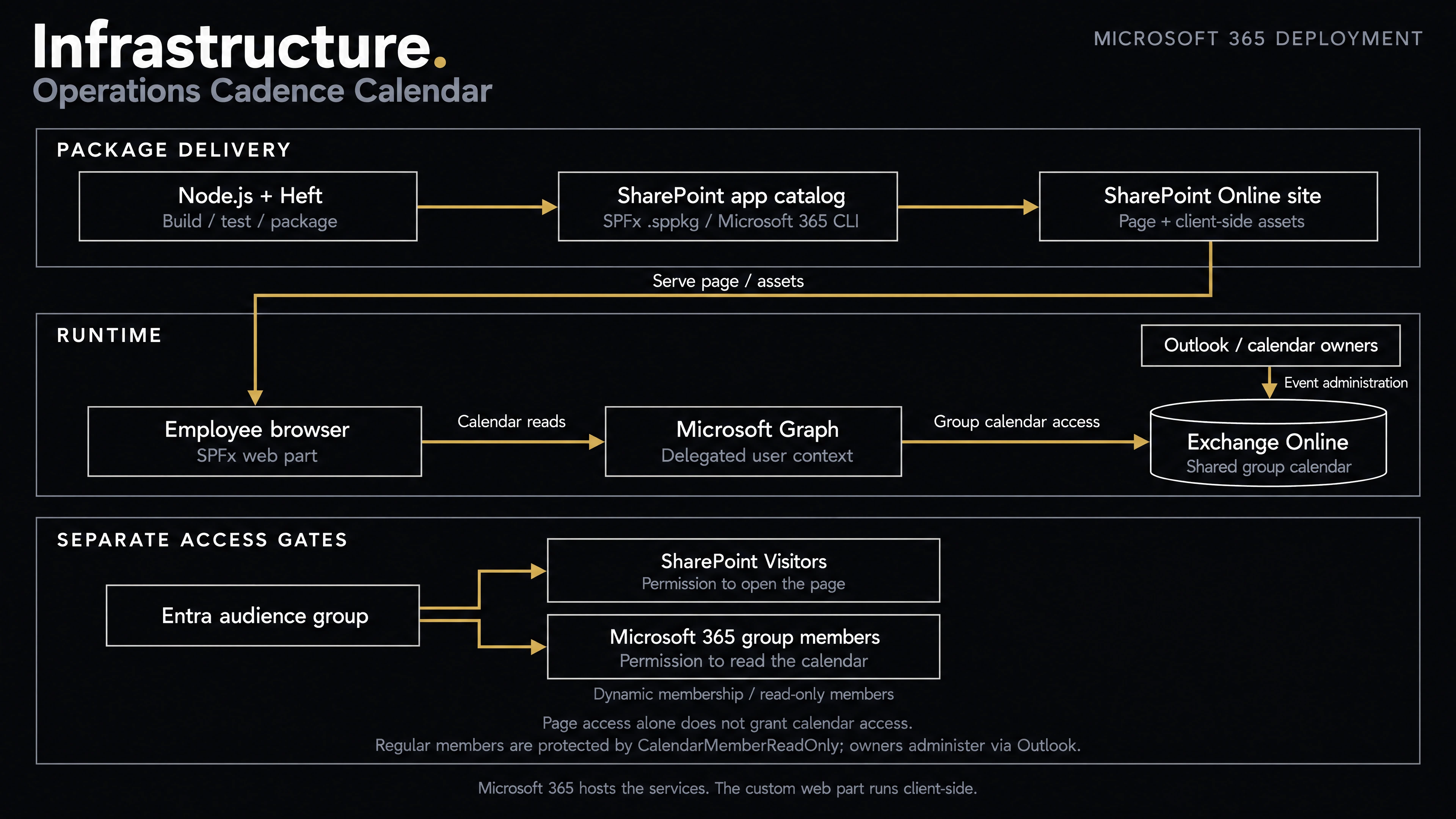
Infrastructure.
SharePoint Online hosts the page and web-part assets. The custom code runs in the employee’s browser, using Microsoft 365 services and existing audience permissions.
Put your next system to work.
Talk to 1Guy.ai about the process, reporting gap, or recurring task your business needs to improve.
Start a project