Budget Overwatch System
Operational reporting / In production
Know what is committed.See what remains.
Budget positions, historical trends, and expense watchlists give operations and finance a clearer view of spending risk.
- People supported
- ~300
- Apartment units supported
- ~15,000
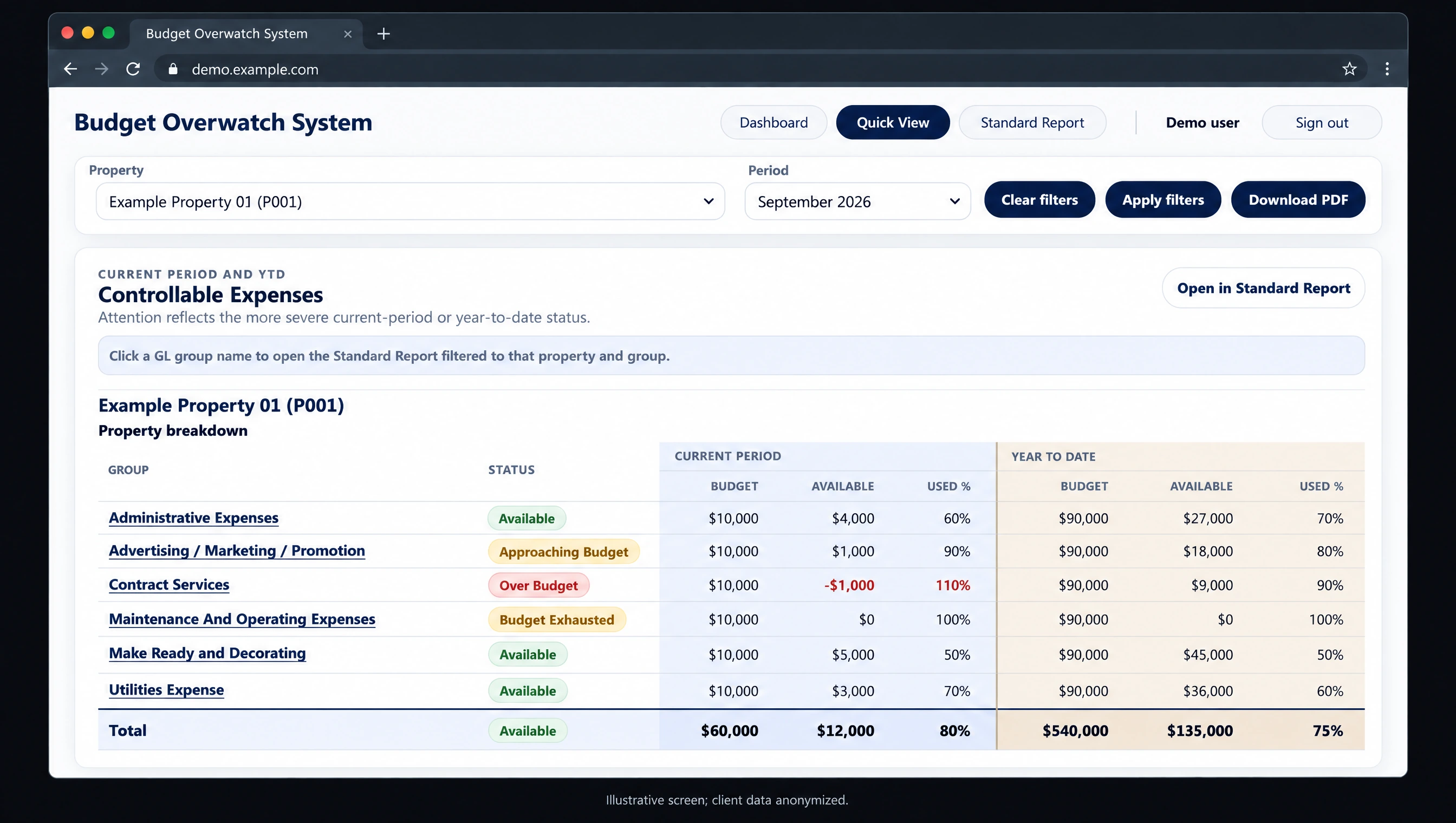
Review allocated budgets, remaining amounts, and budget-control status by expense group.
01 — The challenge
What needed to change.
The client’s expense-management platform offered limited reporting functionality, and reports took a long time to run. Operations and finance needed a clearer way to review budget positions across properties and regional portfolios.
02 — The solution
A system built for the work.
1Guy.ai built Budget Overwatch System to bring allocated budgets, purchase-order and invoice commitments, and remaining budget into a shared reporting view. Current-period and year-to-date status distinguish available, approaching, exhausted, and over-budget expense groups.
Property and regional portfolio views help users focus on their scope. Historical budget-versus-actual trends, recurring variance patterns, and separate over-budget and missing-budget watchlists support deeper investigation. Quick View can also be downloaded as a PDF.
- Current-period and YTD budget control
- Property and regional scopes
- Historical variance trends
- Over-budget and missing-budget watchlists
- Quick View PDF output
03 — In production
Budget visibility beyond the source platform.
The solution gives approximately 300 people a purpose-built way to review spending commitments across a portfolio of 15,000 apartment units. Teams can see what remains available and where budget positions warrant attention, with reporting beyond the source platform’s limitations.
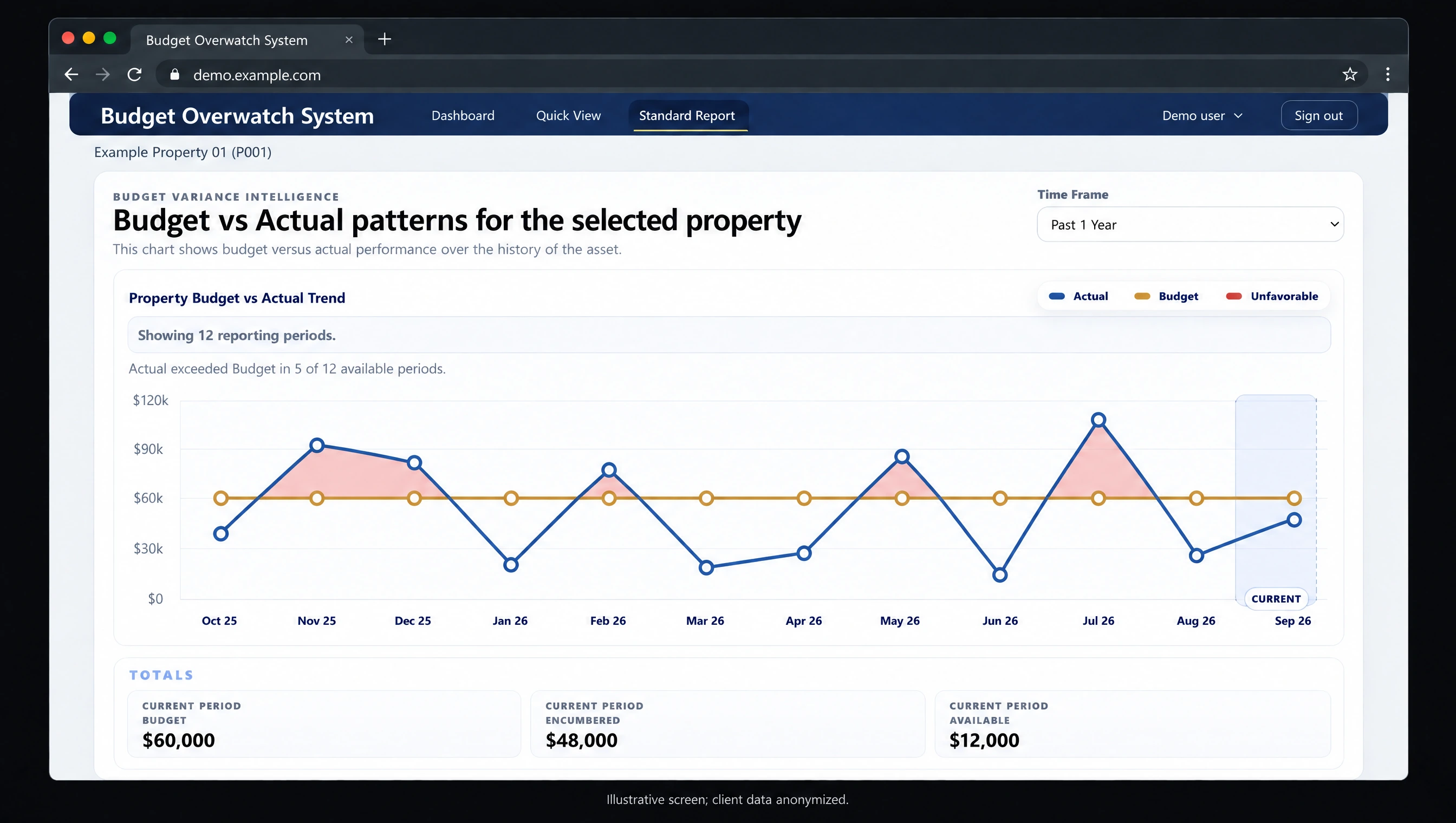
Historical patterns make unfavorable periods visible. All amounts and trends shown are illustrative.
Inside the system / Refresh and reporting
Software architecture.
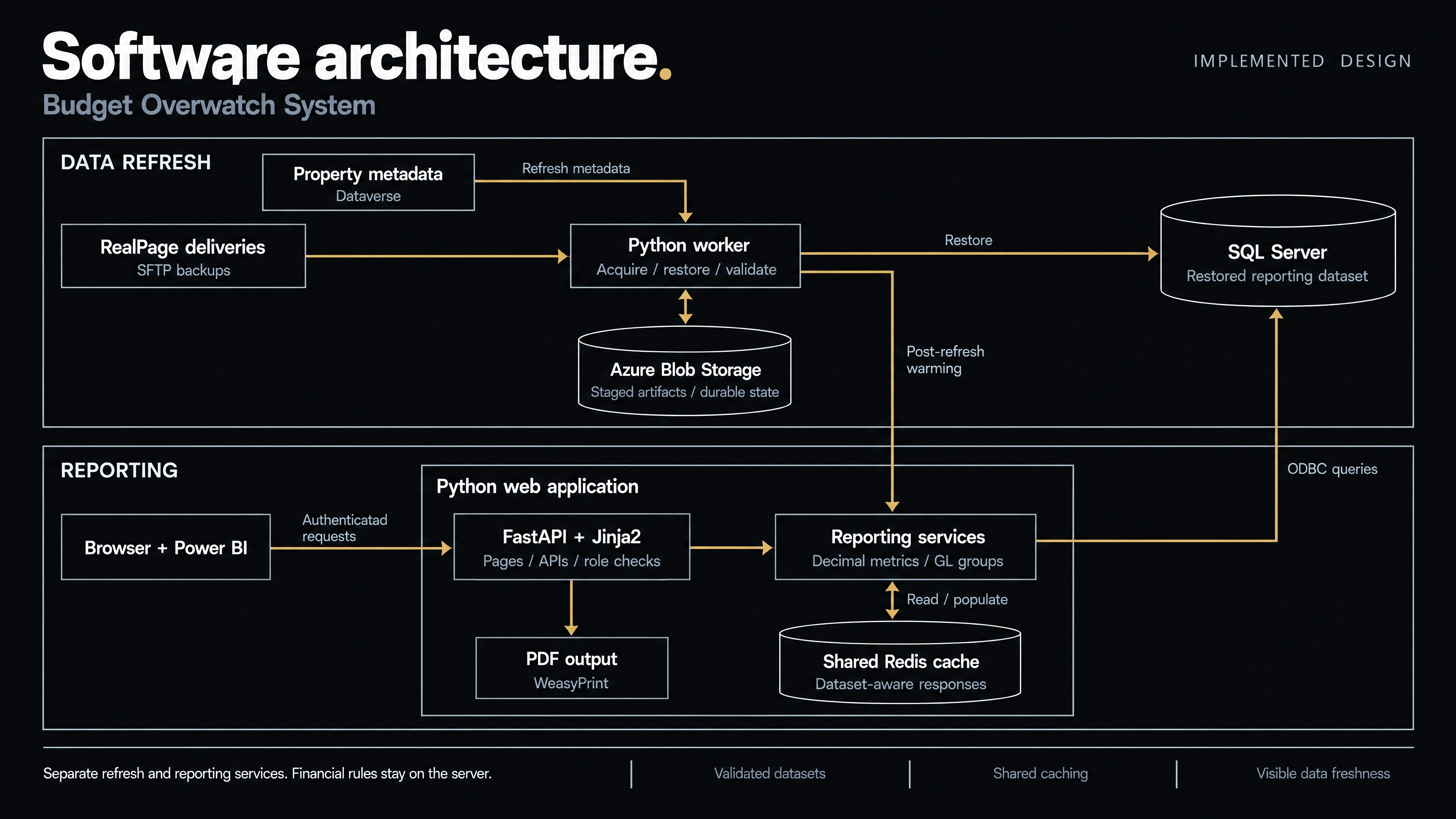
Separate refresh and reporting services turn source deliveries into budget views, with financial calculations owned by the server and shared caching tied to the reporting dataset.
Inside the system / Azure deployment
Infrastructure.
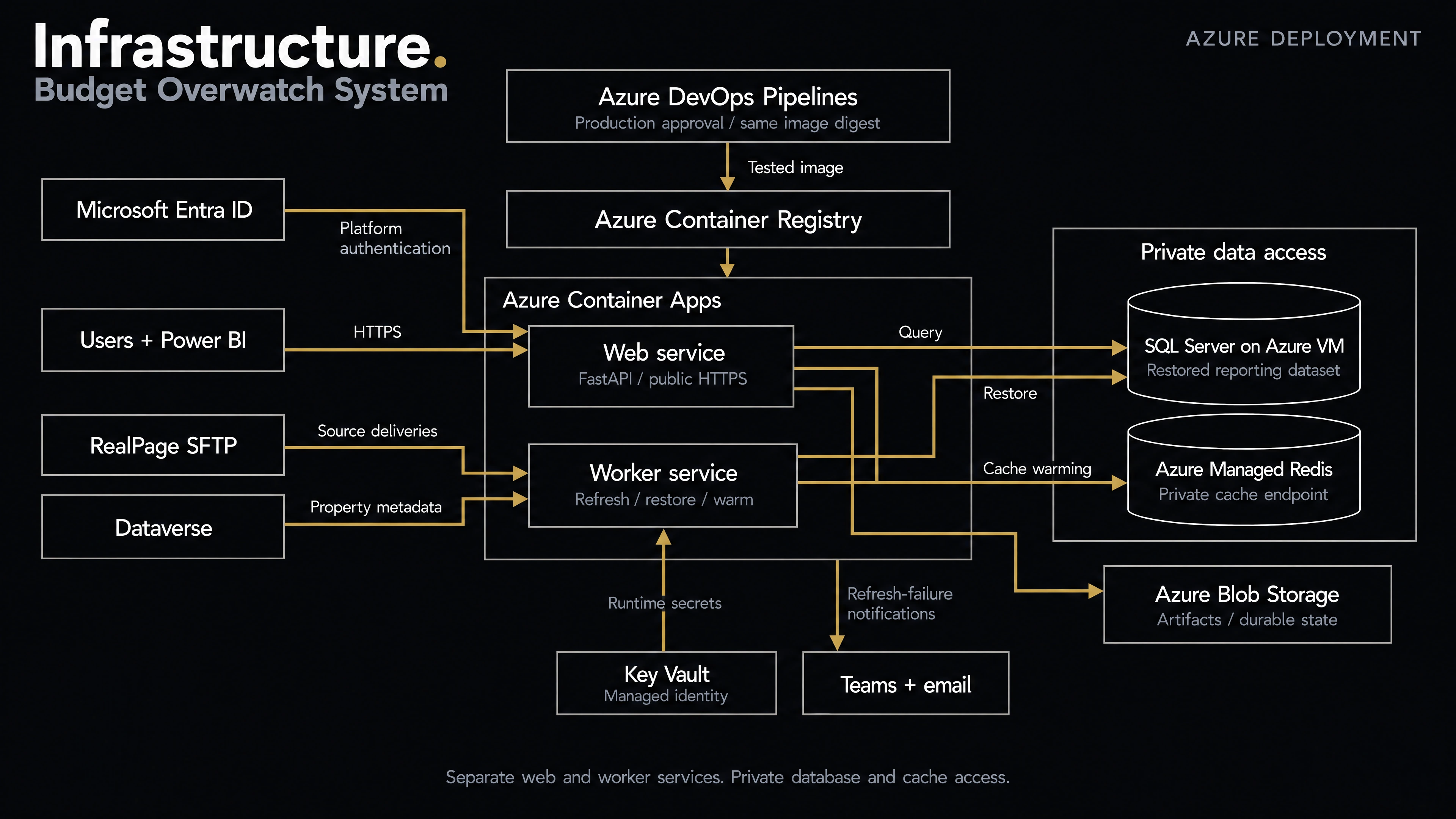
Azure Container Apps hosts separate web and worker services. A tested container image is promoted through an approved release process, with private database and cache access.
Put your next system to work.
Talk to 1Guy.ai about the process, reporting gap, or recurring task your business needs to improve.
Start a project